> For the complete documentation index, see [llms.txt](https://docs.appmixer.com/llms.txt). Markdown versions of documentation pages are available by appending `.md` to page URLs; this page is available as [Markdown](https://docs.appmixer.com/appmixer-ui-sdk/ui-and-widgets/flow-manager.md).
# Flow Manager
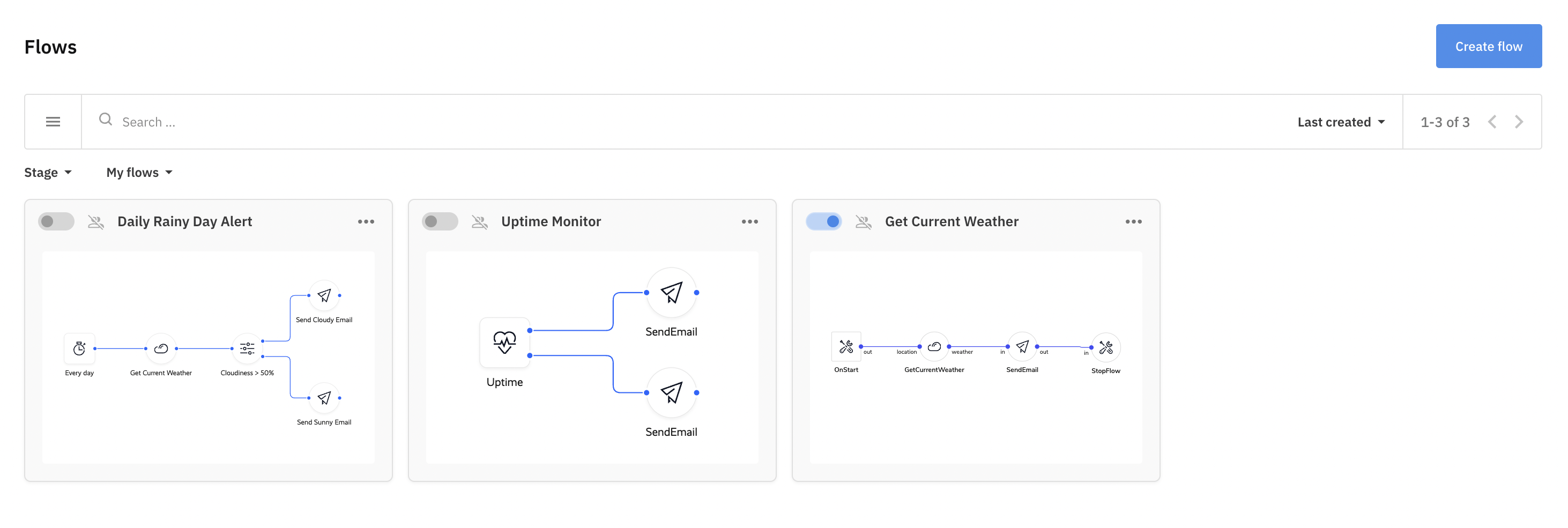
Browse and manipulate flows that are accessible to the current user.
Flow Manager
## Configuration
Set up a new instance with `config` parameters and `set`/`get` methods:
```javascript
const flowManager = appmixer.ui.FlowManager(config)
flowManager.set(key, value)
flowManager.get(key)
```
#### **`config.el`** **`...`**
{% hint style="info" %}
Learn about `widget` `config` [here](/appmixer-ui-sdk/ui-and-widgets.md#configuration).
{% endhint %}
#### **`config.options`**
Type: `Object` | Default: `DefaultOptions`
#### **`config.options.menu`**
Type: `Object[]` | Default: `[]`
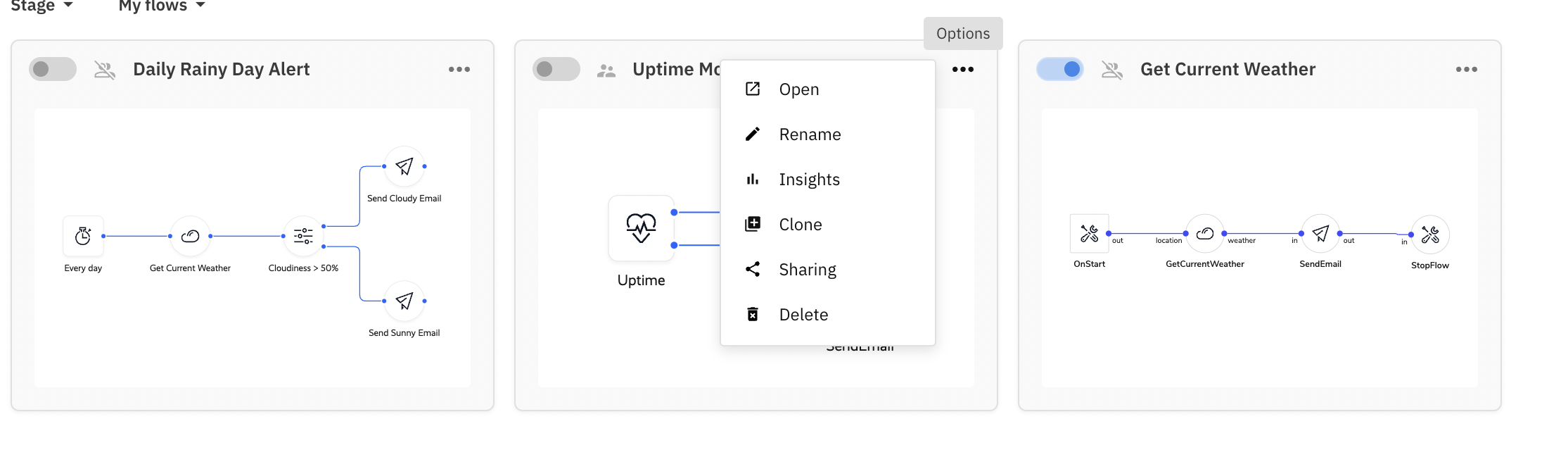
Add a dropdown menu input to each flows to trigger built-in and custom events:
```javascript
appmixer.ui.FlowManager({
/* ... */
options: {
menu: [
{ event: 'flow:open', label: 'Open', icon: 'data:image/svg+xml;base64,...' },
{ event: 'flow:rename', label: 'Rename', icon: 'https://www.example.com/images/image.jpg' },
{ event: 'flow:insights', label: 'Insights' },
{ event: 'flow:clone', label: 'Clone' },
{ event: 'flow:share', label: 'Share' },
{ event: 'flow:remove', label: 'Remove' },
{ event: 'my-custom-event', label: 'Custom Event' }
]
}
}
```
{% hint style="info" %}
The *optional* `icon` property is a URL of an image or a `base64` string.
{% endhint %}
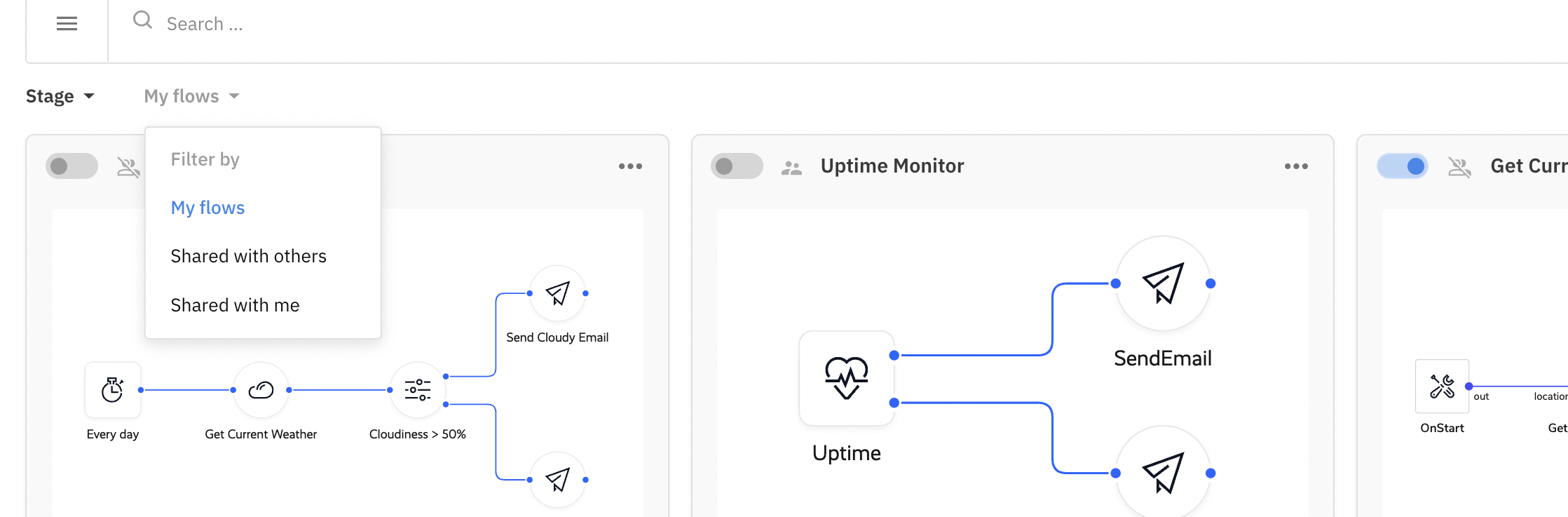
Filters clearly indicate when they are applied and can easily be reset (this applies to both the Flow Manager and the Integrations manager, in both grid and list layouts):
* Each filter dropdown renders as a chip with a `Group: value` label (e.g. `Stage: Running flows`). An applied filter is highlighted, so flows can never be "lost" behind an invisible filter.
* An active chip shows an **×** button that clears just that filter group (in list layout, the **×** appears next to the column-header dropdown).
* Every filter menu offers an **All** option at the top that clears the group, and the active option is marked with a checkmark.
#### **`config.options.customFilter`**
Type: `Object` | Default: `{}`
Filter the flows with additional parameters:
```javascript
appmixer.ui.FlowManager({
/* ... */
options: {
customFilter: {
stage: 'running'
}
}
}
```
This is especially useful in connection with `customFields` `metadata` to display multiple different **Flow Managers** each listing a different category of flows:
```javascript
appmixer.ui.FlowManager({
/* ... */
options: {
customFilter: {
'customFields.category': 'healthcare',
'customFields.template': true
}
}
}
```
In Appmixer 6, the FlowManager widget is meant to display *Automations* only. These are regular flows, not the *Integrations*. This can be overwritten with the *customFilter:*
```javascript
appmixer.ui.FlowManager({
/* ... */
options: {
customFilter: {
type: [ // each flow has a 'type' property
'automation',
'integration-instance'
]
}
}
});
```
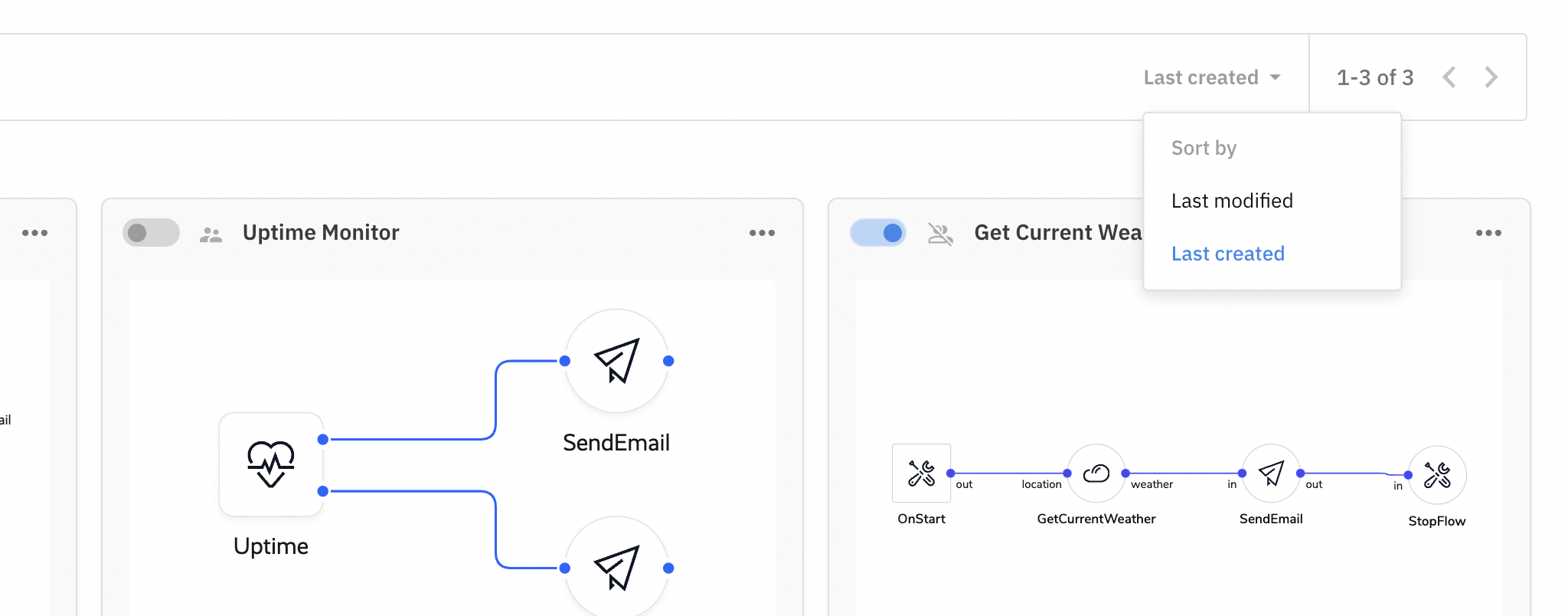
#### **`config.options.sorting`**
Type: `Object[]` | Default: `[]`
Create dropdown inputs with built-in sorting:
```javascript
appmixer.ui.FlowManager({
/* ... */
options: {
sorting: [
{ label: 'Last Modified', property: 'mtime', value: -1 },
{ label: 'Last Created', property: 'btime', value: -1 }
]
}
}
```
Flow Manager Sorting
## Instance
{% hint style="info" %}
Learn about `widget` instance [here](/appmixer-ui-sdk/ui-and-widgets.md#instance).
{% endhint %}
### State
```javascript
flowManager.state(name, value)
```
#### **`loader`**
Type: `Boolean` | Default: `null`
Toggle a custom loading state.
#### **`error`**
Type: `String` | Default: `null`
Toggle a custom error message.
#### **`layout`**
Type: `String` | Default: `grid`
Change layout of the widget.
#### **`query`**
Type: `Object` | Default: `DefaultQuery`
Set custom query parameters.
### Events
```javascript
flowManager.on(event, handler)
```
#### **`flow:open`**
```javascript
flowManager.on('flow:open', flowId => {/* ... */})
```
Select a flow to open in **Designer** widget.
#### **`flow:create`**
```javascript
flowManager.on('flow:create', () => {/* ... */})
```
Click **Create Flow** button.
#### **`flow:start`**
```javascript
flowManager.on('flow:start', flowId => {/* ... */})
```
Toggle flow stage button.
#### **`flow:stop`**
```javascript
flowManager.on('flow:stop', flowId => {/* ... */})
```
Toggle flow stage button.
#### **`flow:clone`**
```javascript
flowManager.on('flow:clone', flowId => {/* ... */})
```
Click menu item to clone a flow.
#### **`flow:share`**
```javascript
flowManager.on('flow:share', flowId => {/* ... */})
```
Click menu item to open sharing of a flow.
#### **`flow:rename`**
```javascript
flowManager.on('flow:rename', flowId => {/* ... */})
```
Click menu item to rename flow.
#### **`flow:remove`**
```
flowManager.on('flow:remove', flowId => {/* ... */})
```
Click menu item to remove a flow.
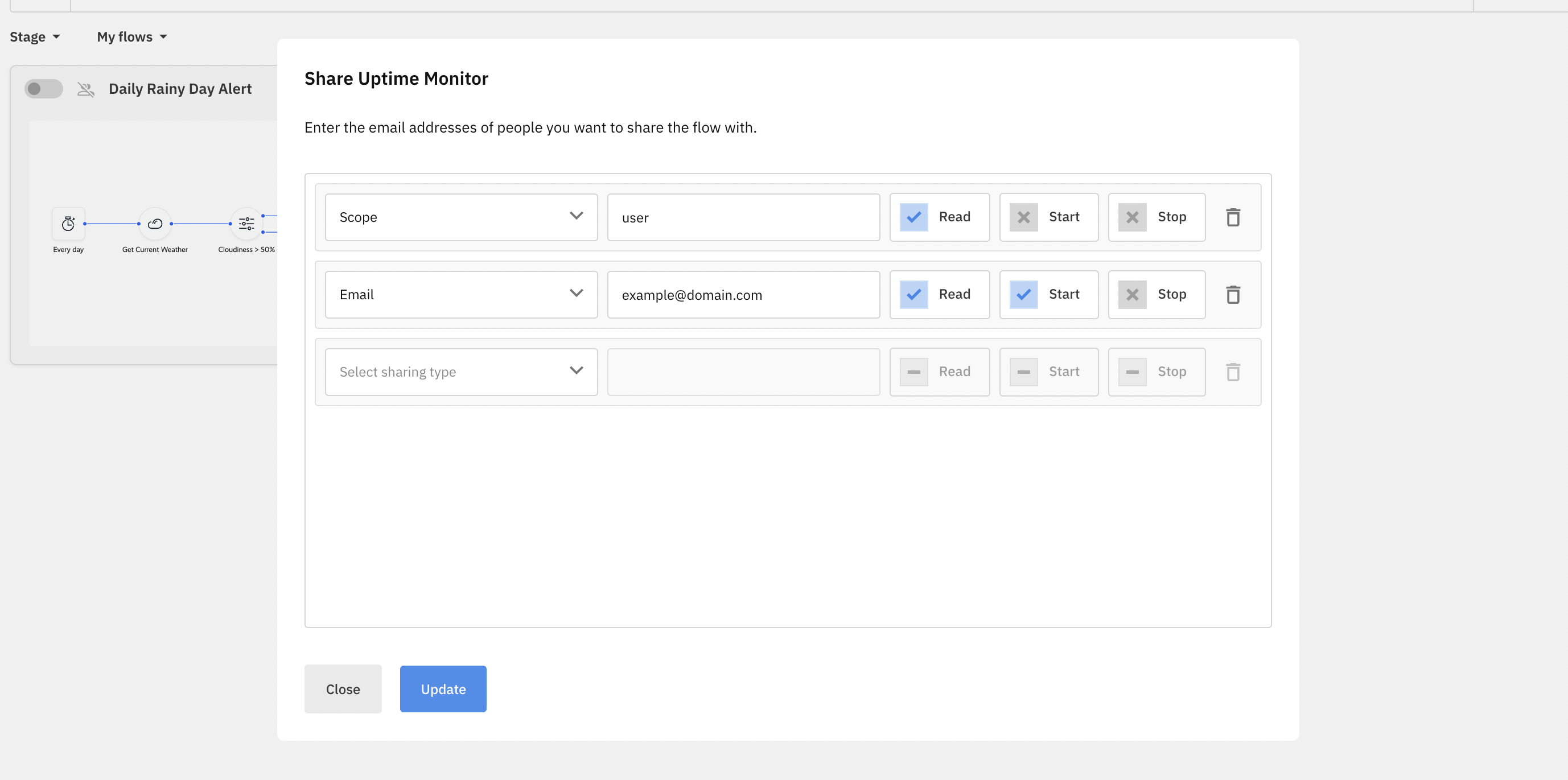
## Sharing
Add menu item with `flow:share` event for a configurable flow sharing dialog:
```javascript
appmixer.ui.FlowManager({
/* ... */
options: {
menu: [{ event: 'flow:share', label: 'Share' }],
// specify custom types and scopes
shareTypes: [
{ value: 'email', label: 'Email', placeholder: 'Enter an email' },
{ value: 'scope', label: 'Scope', placeholder: 'Enter a scope' },
{ value: 'domain', label: 'Domain', placeholder: 'Enter a domain' }
],
// override default permissions
sharePermissions: [
{ label: 'Read', value: 'read' },
{ label: 'Start', value: 'start' },
{ label: 'Stop', value: 'stop' }
]
}
}
```
Flow Manager Sharing
## Example
```javascript
// create a new widget
const flowManager = appmixer.ui.FlowManager({
el: '#flow-manager',
options: {
menu: [
{ event: 'flow:open', label: 'Open' },
{ event: 'custom-event', label: 'Custom' },
{ event: 'flow:rename', label: 'Rename' },
{ event: 'flow:insights', label: 'Insights' },
{ event: 'flow:clone', label: 'Clone' },
{ event: 'flow:share', label: 'Share' },
{ event: 'flow:remove', label: 'Remove' }
],
filters: [
{ property: 'stage', value: 'running', label: 'Running flows' },
{ property: 'stage', value: 'stopped', label: 'Stopped flows' },
{ property: 'sharedWith', value: 'myFlows', label: 'My flows' },
{ property: 'sharedWith', value: 'sharedWithOthers', label: 'Shared with others' },
{ property: 'sharedWith', value: 'sharedWithMe', label: 'Shared with me' }
],
sorting: [
{ label: 'Last Modified', property: 'mtime', value: -1 },
{ label: 'Last Created', property: 'btime', value: -1 }
]
}
})
// change default layout
flowManager.state('layout', 'list')
// override a built-in event
flowManager.on('flow:create', () => {
flowManager.state('error', 'Creating a new flow overridden by a custom event handler.')
})
// load flow details with a custom event
flowManager.on('custom-event', async flowId => {
try {
flowManager.state('loader', true)
const flow = await appmixer.api.getFlow(flowId)
alert(`Flow ${flow.name} has ${Object.keys(flow.flow).length} component(s).`)
} catch (error) {
flowManager.state('error', 'Loading flow failed.')
} finally {
flowManager.state('loader', false)
}
})
// open the widget
flowManager.open()
```
---
# Agent Instructions
This documentation is published with GitBook. GitBook is the documentation platform designed so that both humans and AI agents can read, navigate, and reason over technical content effectively. Learn more at gitbook.com.
## Querying This Documentation
If you need additional information that is not directly available in this page, you can query the documentation by asking a question.
Perform an HTTP GET request on the following URL with the `ask` and `goal` query parameters:
```
GET https://docs.appmixer.com/appmixer-ui-sdk/ui-and-widgets/flow-manager.md?ask=&goal=
```
`ask` is the immediate question: it should be specific, self-contained, and written in natural language.
`goal` is what the user is ultimately trying to achieve, the reason they need the answer. Sharing it helps GitBook give you a better, more relevant answer. A goal is most helpful when it describes the outcome the user wants rather than restating the question. For example, with `ask=how do I create an API token`, a goal like `automate deployments from our CI pipeline` lets GitBook tailor the answer to that use case.
The response will contain a direct answer to the question and relevant excerpts and sources from the documentation.
Use this mechanism when the answer is not explicitly present in the current page, you need clarification or additional context, or you want to retrieve related documentation sections.