> For the complete documentation index, see [llms.txt](https://docs.appmixer.com/llms.txt). Markdown versions of documentation pages are available by appending `.md` to page URLs; this page is available as [Markdown](https://docs.appmixer.com/customizing-embedded-ui/custom-strings.md).
# Custom Strings
Appmixer SDK allows you to change all the strings of all the UI widgets it provides (Designer, FlowManager, Insights, ...). This is especially useful to localize the entire Appmixer UI.
## Setting Custom Strings
A strings object is represented as a JSON object that you set on your Appmixer SDK instance using the `set('strings', myStrings)` method:
```javascript
var appmixer = new Appmixer({ baseUrl: BASE_URL });
appmixer.set('strings', STRINGS);
```
{% hint style="info" %}
You can set the strings object anywhere in your application but usually, you'll do that right after initializing your appmixer instance. Note that you can even set the strings multiple times with different configurations in which case the Appmixer SDK will automatically re-render all the UI widgets using the configuration with new strings.
{% endhint %}
If you don't set strings, the default strings will be applied.
{% hint style="info" %}
An override applies when the key is **present**, whatever its value. A key set to an empty string, `0` or `false` overrides the shipped default rather than falling back to it; `null` and `undefined` render as an empty string, and other types are converted to strings. Only a key that is absent falls back to the default. The same rule applies to strings set through `appmixer.set('strings', …)`, the instance [`l10n`](/appmixer-ui-sdk/constructor.md) option and a widget's [`config.l10n`](/appmixer-ui-sdk/ui-and-widgets.md#config-l10n).
Before 6.5.1, overrides were resolved by truthiness, so a key deliberately set to an empty string, `0` or `false` was treated as absent and the shipped English default was rendered instead.
{% endhint %}
## Structure of the Strings Object
The strings object is a JSON object (with one exception, see below) that contains references to various UI elements within the Appmixer UI. The final values of the JSON objects are the actual strings used in the UI.
Example of setting the strings object:
```javascript
appmixer.set('strings', {
ui: {
flowManager: {
search: 'Search flows',
header: {
buttonCreateFlow: 'Create new Flow'
}
}
}
});
```
## Complete Strings Object
For reference, we prepared a complete strings object for you to download and inspect to see all the possibilities for strings customization/localization.
```bash
wget https://my.appmixer.com/appmixer/package/strings-en.json
```
## Time Localization
For localization of time-related strings, a special `time` root scope of the strings object can be modified:
```javascript
appmixer.set('strings', {
time: {
months: [...],
monthsShort: [...],
weekDaysShort: [...],
ordinal(number){ ... },
relativeTime: {...}
}
});
```
Please download the default strings object above to see all the possibilities for time localization. Notice in the code above that there is one specialty to the time localization which (if used) makes the strings object non-JSON compliant. That's the `ordinal(number)` function. Given a number, this function returns a string representing the number in ordinal form (i.e. 1 becomes "1st", 2 becomes "2nd", ...). Since this is hard to describe declaratively in JSON, the strings object may contain the `oridnal(number)` function for you to be able to localize ordinal numbers. The default implementation looks like this:
```javascript
ordinal(number) {
const b = number % 10;
const output = (~~(number % 100 / 10) === 1) ? 'th'
: (b === 1) ? 'st'
: (b === 2) ? 'nd'
: (b === 3) ? 'rd' : 'th';
return number + output;
}
```
## Pluralization and Strings with Variables
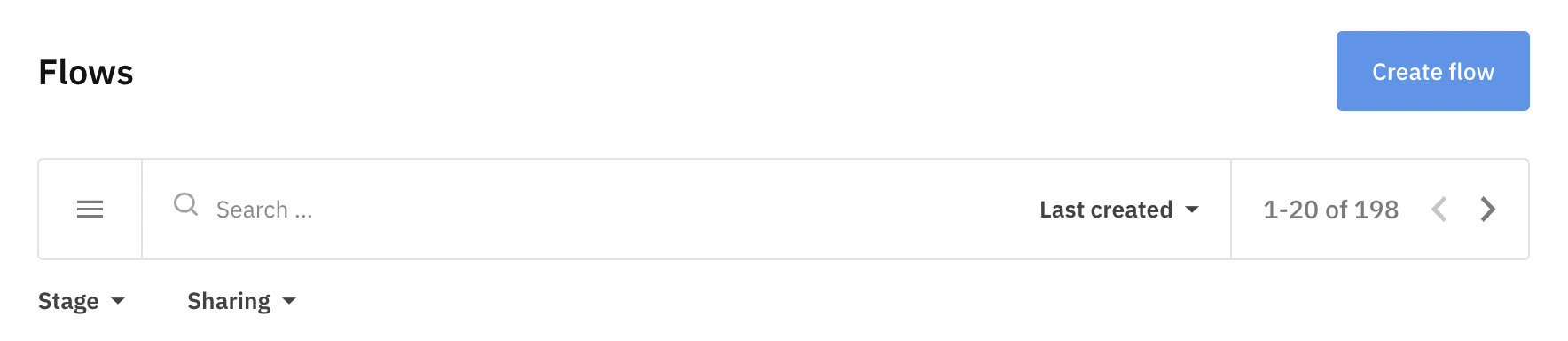
Some text can contain both singular and plural versions based on whether the number variable used inside the text equals `1` or not. For example, the pagination widget in the Flows Manager:
The "of 198 flows" string used above can vary based on whether the total number of flows is more than one or if it equals one. The two versions can be expressed using the `|` character in the strings object like so:
```javascript
appmixer.set('strings', {
ui: {
flowManager: {
pagination: '{{range}} of {{total}} flow|{{range}} of {{total}} flows'
}
}
});
```
Also, notice the use of variables (`{{total}}` in the example above). Variables are always enclosed by two curly brackets and are replaced by the SDK with the actual numbers when used. See the Appmixer default strings object for all occurrences of variables.
---
# Agent Instructions
This documentation is published with GitBook. GitBook is the documentation platform designed so that both humans and AI agents can read, navigate, and reason over technical content effectively. Learn more at gitbook.com.
## Querying This Documentation
If you need additional information that is not directly available in this page, you can query the documentation by asking a question.
Perform an HTTP GET request on the following URL with the `ask` and `goal` query parameters:
```
GET https://docs.appmixer.com/customizing-embedded-ui/custom-strings.md?ask=&goal=
```
`ask` is the immediate question: it should be specific, self-contained, and written in natural language.
`goal` is what the user is ultimately trying to achieve, the reason they need the answer. Sharing it helps GitBook give you a better, more relevant answer. A goal is most helpful when it describes the outcome the user wants rather than restating the question. For example, with `ask=how do I create an API token`, a goal like `automate deployments from our CI pipeline` lets GitBook tailor the answer to that use case.
The response will contain a direct answer to the question and relevant excerpts and sources from the documentation.
Use this mechanism when the answer is not explicitly present in the current page, you need clarification or additional context, or you want to retrieve related documentation sections.