Setting custom redirect URI just for appmixer:google module.
.crt file'
}
},
// In the validate request we need the appId and apiKey specified by the user.
// All properties defined in the previous 'auth' object will be
// available in the validate call. Just use {{whatever-key-from-auth-object}}
// anywhere in the next object. Appmixer will replace these with the
// correct values.
validate: {
method: 'GET',
url: 'https://acme.com/get-some-records/app_id={{appId}}',
headers: {
'Authorization': 'Basic {{apiKey}}'
}
}
}
};
```
If the `validate` function throws an exception and the exception contains *message* property, the message will be shown in the Connecting Account Failed page.

If `validate` is specified as an object, the response error can vary from API to API. Appmixer will use internal heuristics to try to find the error message in the response object. If the error message is not shown on the *Connecting Account Failed* page, then the validate response can always be parsed and a proper exception thrown in the auth.js module using the `validateErrCallback` function:
```javascript
validate: {
'method': 'GET',
'uri': 'https://api.apify.com/v2/users/{{apiUserId}}?token={{apiToken}}'
},
validateErrCallback: err => {
if (err?.someNestedObject?.message) {
throw new Error(err.someNestedObject.message); // message for the UI
}
throw err;
}
```
## Password
The password-based authentication is almost similar to key-based authentication as explained in the above section. The only difference is that you will use `username` and `password` inputs. The `auth` property inside `definition` will need to have two inputs as shown in the below-given code snippet. The `validate` method is used to validate the input values provided. You can make API call by using the `context.username` and `context.password` properties. If the API you are validating returns a token, it will have to be returned from the validate method as shown below.
```javascript
'use strict';
module.exports = {
type: 'pwd',
definition: {
// As opposed to the 'apiKey' module, the 'auth' property inside the
// definition object is optional for the 'pwd' type. If omitted, it will
// have the following structure. If you want to change name of the field,
// change the content of the tooltip or add another field, you can do
// that here.
auth: {
username: {
type: 'text',
name: 'Username',
tooltip: 'Username'
},
password: {
type: 'password',
name: 'Password',
tooltip: 'Password'
}
},
// the only mandatory property for the 'pwd' authentication type
validate: async context => {
const { username, password } = context
const { data } = await context.httpRequest.post(
// the URL for the username/password authentication
'https://service-server-api-url/auth',
{ username, password }
);
// verify authentication works
if (!data.isValid) {
throw new Error("Invalid username/password combination.");
}
// if the API does not return a token for exchange, then return here.
// in such case, the components using this authentication module
// will have to use the username/password to perform each request.
// There will be properties context.auth.username and
// context.auth.password available in the context object in a component.
// if the API returns a token and expiration then return them using
// the following way - object with 'token' and 'expires' properties.
const { token, expiresIn } = data;
// the token and expiration (if provided) will be available in a
// component's context object under context.auth.token and
// context.auth.expires
return {
token,
// expires can be a Date - token expiration date (timestamp),
// or number/string with seconds representing a token lifetime.
// Appmixer will use this to request a new token (using stored
// username and password) when the current one is about to expire
expires: expiresIn
};
// if the API returns a token that does not expire, just return
// that token
// return { token };
}
}
};
```
#### HTTP Basic Authentication
The *pwd* type can be used for the HTTP Basic Authentication. Here's a sample code:
```javascript
'use strict';
module.exports = {
type: 'pwd',
definition: {
validate: async context => {
await context.httpRequest.get('https://postman-echo.com/basic-auth', {
auth: {
username: context.username,
password: context.password
}
});
}
}
}
```
Then the *username* and *password* is available in the components:
```javascript
'use strict';
module.exports = {
async start(context) {
await context.httpRequest.get('https://postman-echo.com/basic-auth', {
auth: {
username: context.auth.username,
password: context.auth.password
}
});
}
}
```
### OAuth 1
In order to use this mechanism, `type` property must be set to `oauth`. Here is an example from Trello components:
```javascript
'use strict';
const OAuth = require('oauth').OAuth;
const Promise = require('bluebird');
module.exports = {
type: 'oauth',
// In this example, 'definition' property is defined as a function.
definition: context => {
let trelloOauth = Promise.promisifyAll(new OAuth(
'https://trello.com/1/OAuthGetRequestToken',
'https://trello.com/1/OAuthGetAccessToken',
context.consumerKey,
context.consumerSecret,
'1.0',
context.callbackUrl,
'HMAC-SHA1'
), { multiArgs: true });
return {
accountNameFromProfileInfo: 'id',
authUrl: context => {
return 'https://trello.com/1/OAuthAuthorizeToken' +
'?oauth_token=' + context.requestToken +
'&name=AppMixer' +
'&scope=read,write,account' +
'&expiration=never';
},
requestRequestToken: () => {
return trelloOauth.getOAuthRequestTokenAsync()
.then(result => {
return {
requestToken: result[0],
requestTokenSecret: result[1]
};
});
},
requestAccessToken: context => {
return trelloOauth.getOAuthAccessTokenAsync(
context.requestToken,
context.requestTokenSecret,
context.oauthVerifier
).then(result => {
return {
accessToken: result[0],
accessTokenSecret: result[1]
};
});
},
requestProfileInfo: context => {
return trelloOauth.getProtectedResourceAsync(
'https://api.trello.com/1/members/me',
'GET',
context.accessToken,
context.accessTokenSecret
).then(result => {
if (result[1].statusCode !== 200) {
throw new Error(result[1].statusMessage);
}
result = JSON.parse(result[0]);
// get rid of limits for now
// may and will contain keys with dots - mongo doesn't like it
delete result.limits;
return result;
});
},
validateAccessToken: context => {
return trelloOauth.getProtectedResourceAsync(
'https://api.trello.com/1/tokens/' + context.accessToken,
'GET',
context.accessToken,
context.accessTokenSecret
).then(result => {
if (result[1].statusCode === 401) {
throw new context.InvalidTokenError(result[1].statusMessage);
}
if (result[1].statusCode !== 200) {
throw new Error(result[1].statusMessage);
}
result = JSON.parse(result[0]);
if (result['dateExpires'] === null) {
return;
}
throw new context.InvalidTokenError('Invalid token.');
});
}
};
}
};
```
Note that in this case, the *definition* is a function instead of an object, but it still returns an object with the items needed for OAuth 1 authentication, similar to API key authentication. Now we explain the fields from the definition object:
#### accountNameFromProfileInfo ([function or string](#function-object-or-a-url-string))
Works exactly the same way as described in the [API Key](#accountnamefromprofileinfo) section.
#### requestRequestToken ([function, object or string](#function-object-or-a-url-string))
This must be a function (or an object, or just a string URL as explained [here](#authentication-mechanisms)) that returns a promise which must resolve to an object containing `requestToken` and `requestTokenSecret` the same way that is shown in the example above. These are needed to get the access token and become exposed by the context - `context.requestToken` and `context.requestTokenSecret`.
#### requestAccessToken ([function, object or string](#function-object-or-a-url-string))
This must be a function (or an object, or just a string URL as explained [here](#authentication-mechanisms)) that returns a promise which must resolve to an object containing `accessToken` and `accessTokenSecret` the same way that is shown in the example. Usually, you will be using the `requestToken` and `requestTokenSecret` inside this function, as they are required by the OAuth 1 flow in this step. Similarly to `requestRequestToken` function, `accessToken` and `accessTokenSecret` will become exposed by the context - `context.accessToken` and `context.accessTokenSecret`.
#### authUrl ([function, object or string](#function-object-or-a-url-string))
[Function, object or a string](#authentication-mechanisms) URL returning *auth* URL. Appmixer will then use this URL to redirect the user to the proper authentication page. The `requestToken` is available in the *context*. The example shows the *authUrl* declaration using the token provided by the *context*.
#### requestProfileInfo ([function, object or string](#function-object-or-a-url-string)) (optional)
Works exactly the same way as described in the [API Key](#requestprofileinfo-optional) section.
#### validateAccessToken ([function or object](#function-object-or-a-url-string))
This property serves the same purpose as [validate](#validate) property in the API Key mechanism. This is used by Appmixer to test if the access token is valid and accepted by the third-party app. You have access to `context.accessToken` and `context.accessTokenSecret` to make authenticated requests. If the token is valid, this function should resolve to any value. Otherwise, throw an error.
### OAuth 2
The latest OAuth protocol and industry-standard, OAuth 2.0 improved many things from the first version in terms of usability and implementation, while maintaining a high degree of security. It is easier to implement in Appmixer as well. In order to use this mechanism, `type` property must be set to `oauth2`. Here is an example from [Asana `auth.js` module](https://github.com/clientIO/appmixer-connectors/blob/master/src/appmixer/asana/auth.js):
```javascript
'use strict';
const request = require('request-promise');
module.exports = {
type: 'oauth2',
// function definition is used in this case because of the 'profileInfo'
// property that we want to locally store and reference between
// the 'requestAccessToken' and 'requestProfileInfo' functions.
definition: () => {
let profileInfo;
return {
accountNameFromProfileInfo: context => {
return context.profileInfo['email'] || context.profileInfo['id'].toString();
},
authUrl: 'https://app.asana.com/-/oauth_authorize',
requestAccessToken: context => {
// don't put params into post body, won't work, have to be in query
let tokenUrl = 'https://app.asana.com/-/oauth_token?' +
'grant_type=authorization_code&code=' + context.authorizationCode +
'&redirect_uri=' + context.callbackUrl +
'&client_id=' + context.clientId +
'&client_secret=' + context.clientSecret;
return request({
method: 'POST',
url: tokenUrl,
json: true
}).then(result => {
profileInfo = result['data'];
let newDate = new Date();
newDate.setTime(newDate.getTime() + (result['expires_in'] * 1000));
return {
accessToken: result['access_token'],
refreshToken: result['refresh_token'],
accessTokenExpDate: newDate
};
});
},
requestProfileInfo: () => {
return profileInfo;
},
refreshAccessToken: context => {
// don't put params into post body, won't work, have to be in query
let tokenUrl = 'https://app.asana.com/-/oauth_token?' +
'grant_type=refresh_token&refresh_token=' + context.refreshToken +
'&redirect_uri=' + context.callbackUrl +
'&client_id=' + context.clientId +
'&client_secret=' + context.clientSecret;
return request({
method: 'POST',
url: tokenUrl,
json: true
}).then(result => {
profileInfo = result['data'];
let newDate = new Date();
newDate.setTime(newDate.getTime() + (result['expires_in'] * 1000));
return {
accessToken: result['access_token'],
accessTokenExpDate: newDate,
// Some services return a new refresh token, if so, it can
// be returned here and Appmixer will replace the old one.
refreshToken: result['refresh_token']
};
});
},
validateAccessToken: {
method: 'GET',
url: 'https://app.asana.com/api/1.0/users/me',
auth: {
bearer: '{{accessToken}}'
}
}
};
}
};
```
The `requestAccessToken` is used to get the access token while the `refreshAccessToken` is used to refresh the access token later. Next, see the `definition` object's properties explained in more detail:
#### accountNameFromProfileInfo ([function or string](#function-object-or-a-url-string))
Works exactly the same way as described in the [API Key](#accountnamefromprofileinfo) section.
#### authUrl ([function, object or string](#function-object-or-a-url-string))
Similar to OAuth 1, we should provide the authentication URL for the third-party app. However, due to the different authentication flows supported by OAuth 2, the way this is defined may vary according to the third-party implementation. If the OAuth 2 implementation is standard, you can define the `authUrl` with just a string like:
```javascript
authUrl: 'https://www.dropbox.com/oauth2/authorize'
```
Standard means, there is a `response_type` parameter set to `code`, the `client_id`, `redirect_uri`, `state` and `scope` parameters. If the OAuth 2 implementation requires any other parameters (or the standard ones use different names), then you have to define this property as a function and provide all the additional parameters. See, for example, the [JIRA `auth.js` module definition](https://github.com/clientIO/appmixer-connectors/blob/master/src/appmixer/jira/auth.js#L26).
The same logic applies to the following property `requestAccessToken`.
#### requestAccessToken ([function, object or string](#function-object-or-a-url-string))
This function should return a promise with an object which contains `accessToken`, `refreshToken` (optional, some OAuth 2 implementations do not have refresh tokens) and `accessTokenExpDate` or `expires_in` (also optional if the implementation does not have tokens that expire). Inside this function, you should call the endpoint which handles the access tokens for the application. The following `context` properties are available to you in this function: `clientId`, `clientSecret`, `callbackUrl` and `authorizationCode`. See, for example, [the JIRA `auth.js` module definition](https://github.com/clientIO/appmixer-connectors/blob/master/src/appmixer/jira/auth.js#L56).
#### requestProfileInfo ([function, object or string](#function-object-or-a-url-string)) (optional)
Works exactly the same way as described in the [API Key](#requestprofileinfo-optional) section.
#### refreshAccessToken ([function, object or string](#function-object-or-a-url-string))
Part of the OAuth 2 specification is the ability to refresh short-lived access tokens via a refresh token that is issued along with the access token. This function should call the refresh token endpoint on the third-party app and resolve to an object with `accessToken` and `accessTokenExpDate` (and `refreshToken` if needed) properties, as shown in the example. You have access to context properties `clientId`, `clientSecret`, `callbackUrl` and `refreshToken`.
#### validateAccessToken ([function, object or string](#function-object-or-a-url-string))
Has the exact same purpose as the same method in the [OAuth 1](#validateaccesstoken).
#### scope
String or an array of strings.
#### scopeDelimiter
String. The default one is `,` and you can change it to `' '` for example.
Sometimes the OAuth 2 needs a scope or a different scope delimiter. Here is a full example of the Microsoft authentication module with a different than the default scope delimiter:
```javascript
'use strict';
const TENANT = 'common';
module.exports = {
type: 'oauth2',
definition: {
scope: ['offline_access', 'user.read'],
scopeDelimiter: ' ',
authUrl: `https://login.microsoftonline.com/${TENANT}/oauth2/v2.0/authorize`,
requestAccessToken: 'https://login.microsoftonline.com/common/oauth2/v2.0/token',
refreshAccessToken: 'https://login.microsoftonline.com/common/oauth2/v2.0/token',
accountNameFromProfileInfo: 'displayName',
emailFromProfileInfo: 'mail',
requestProfileInfo: 'https://graph.microsoft.com/v1.0/me',
validateAccessToken: {
method: 'GET',
url: 'https://graph.microsoft.com/v1.0/me',
auth: {
bearer: '{{accessToken}}'
}
}
}
};
```
#### refreshBeforeExp
By default, Appmixer will try to refresh the access token five minutes before its expiration. This is fine for most of the OAuth2 implementations, where an access token is usually valid for hours or days. However, there are OAuth2 implementations with stricter rules. With this property, you can define how many minutes (default, see *refreshBeforeExpUnits*) before the access token expiration should Appmixer refresh the token. Appmixer will not try to refresh the token before this value.
```javascript
module.exports = {
type: 'oauth2',
definition: () => {
// telling Appmixer it cannot refresh it sooner than 30 seconds
// before access token expiration
refreshBeforeExp: 30,
refreshBeforeExpUnits: 'seconds', // 'minutes' by default
// the rest is business as usual
authUrl: 'https://www.acme.com/oaut2/authorize'
...
}
}
```
#### refreshBeforeExpUnits
Works in cooperation with the *refreshBeforeExp* property. Useful if you need to go down to seconds. See the example above.
#### OAuth 2 redirect URI
When you're developing an OAuth 2 application, at some point you have to register an app in the 3rd party system. For that, you need the *redirect URI* that points to the Appmixer API. The format of the redirect URI is `[TENANT_API_URL]/auth/[service]/callback`.
For example, if the service you're developing is called *myService* then the redirect URI will be `[TENANT_API_URL]/auth/myService/callback`.
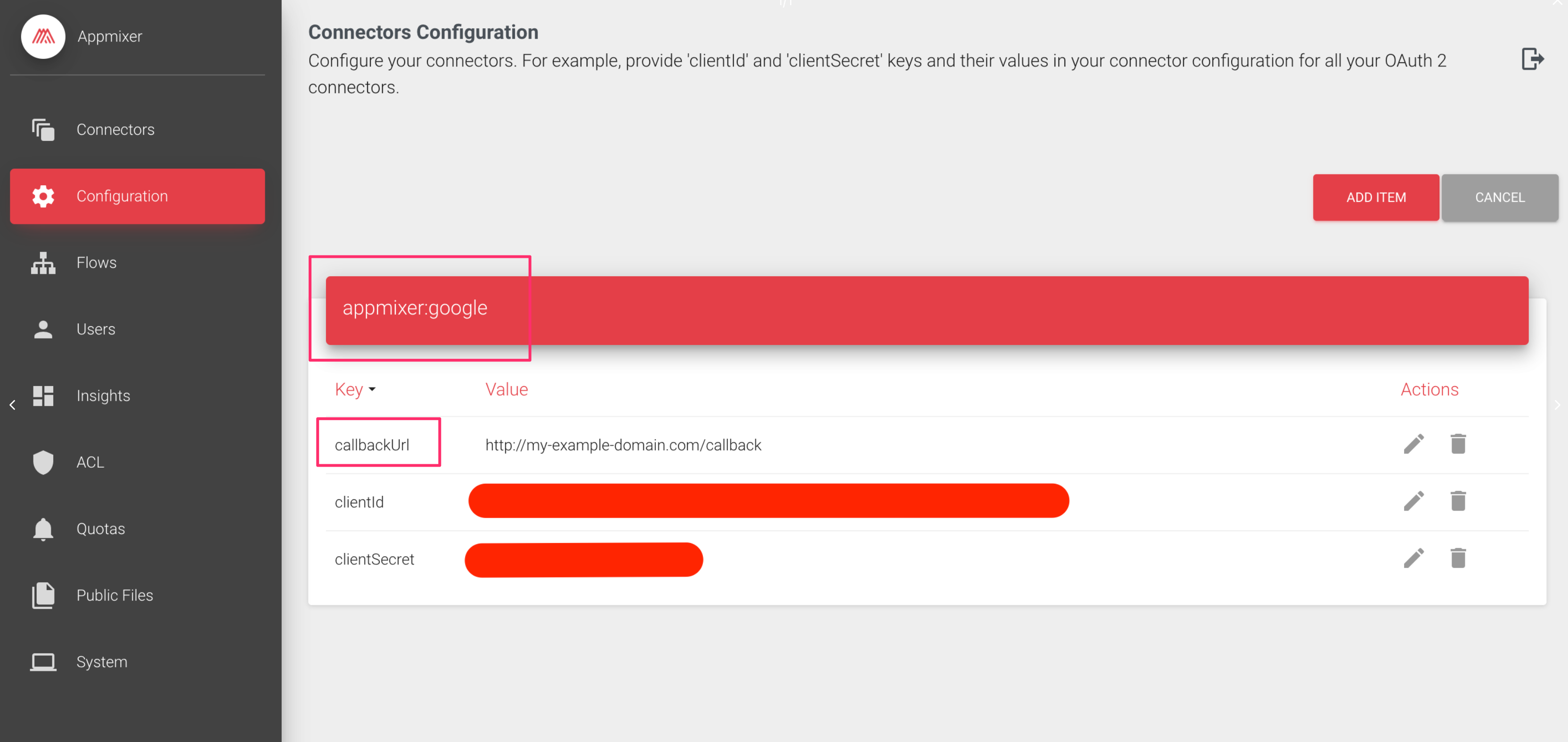
The *redirect URI* can be changed per module in the Backoffice -> Connector Configuration page:
Setting custom redirect URI just for appmixer:google module.
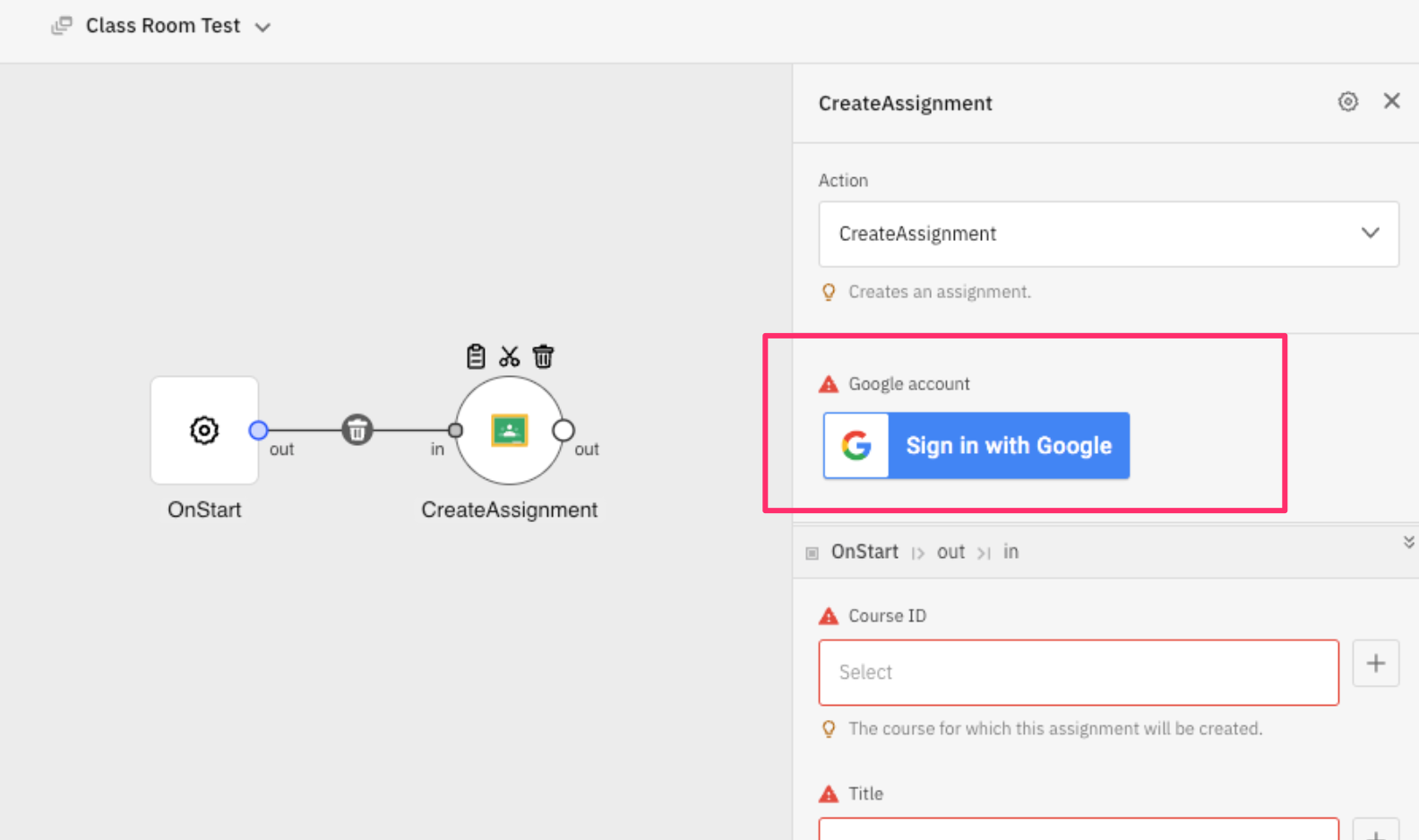
Custom "Connect account" button in the Designer.
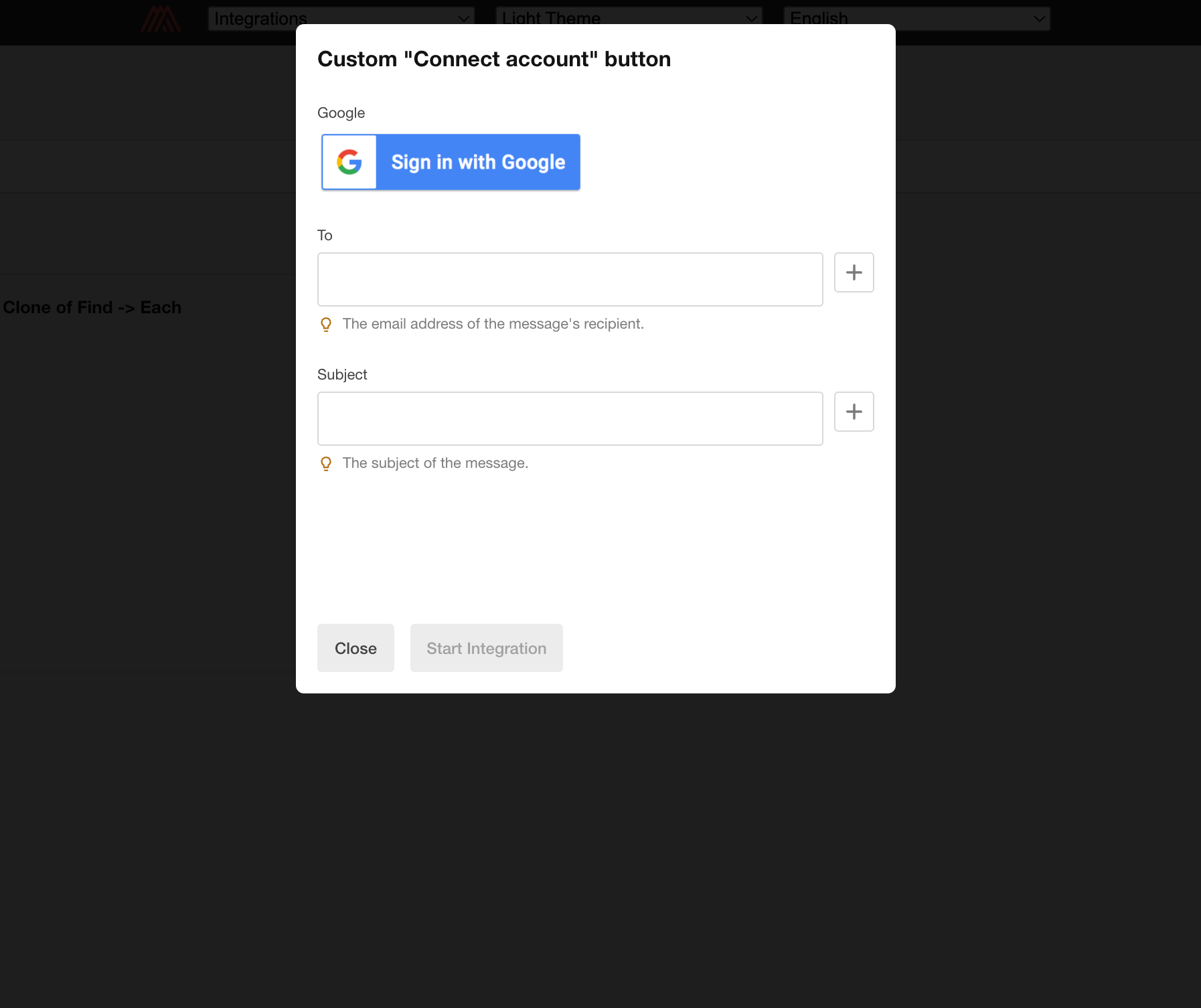
Custom "Connect account" button in the Wizard.